
 Back
BackIn today’s fast-paced digital advertising landscape, RixEngine continues to empower clients with advanced automation and intelligent tools, driving rapid business growth. One of the key challenges advertisers face is identifying and resolving issues during ad delivery, such as inconsistent request-response data, improper ad display, or underperformance. However, traditional methods of diagnosing these issues can be time-consuming and resource-intensive, especially as the complexity of ad systems increases.
To address this challenge, RixEngine is proud to introduce its Troubleshooting feature. Designed specifically for advertisers and ad operations teams, this tool enables real-time data capture and analysis, quickly pinpointing critical data points within the delivery process, such as “Publisher Request Sample,” “Response to Publisher Sample,” “Request Sent to Advertiser Sample,” and “Advertiser Response Sample.” The system captures accurate real-time sample data and provides detailed analysis of each sample, helping users track the transmission status of both requests and responses. This significantly reduces the time spent on troubleshooting and improves overall ad delivery efficiency.
Key Features of the Troubleshooting Tool:
Ad Request Diagnostics: Publisher Request Sample
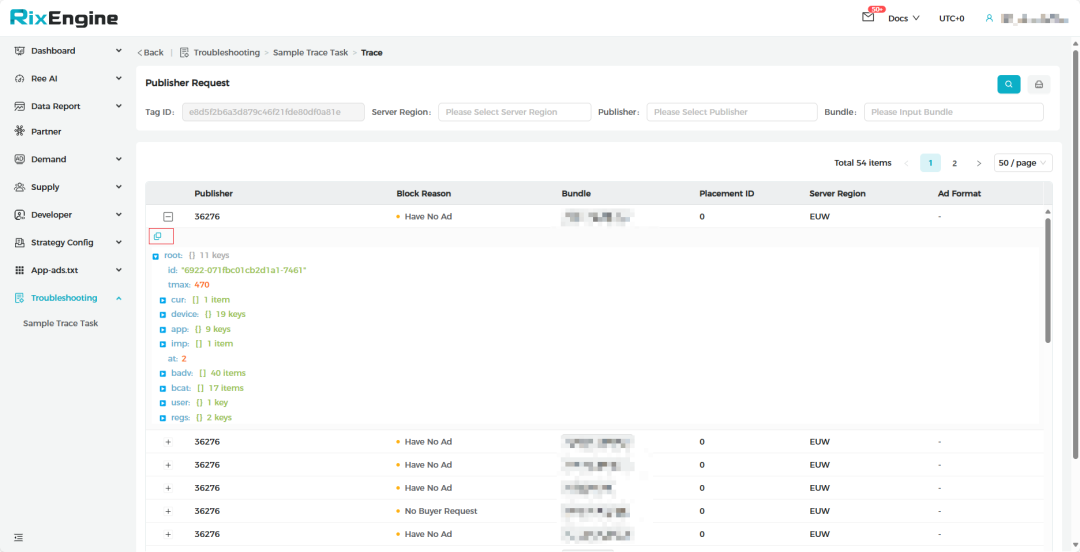
1.With the Publisher Request Sample, the “Block Reason” field highlights the specific reasons for a request being successful or blocked, such as:
a.Have No Ad
b.Decode Body Error
c.Content Error
d.Content Validation Error
e.Strategy Block
f.No Buyer Request
g.ATC Block
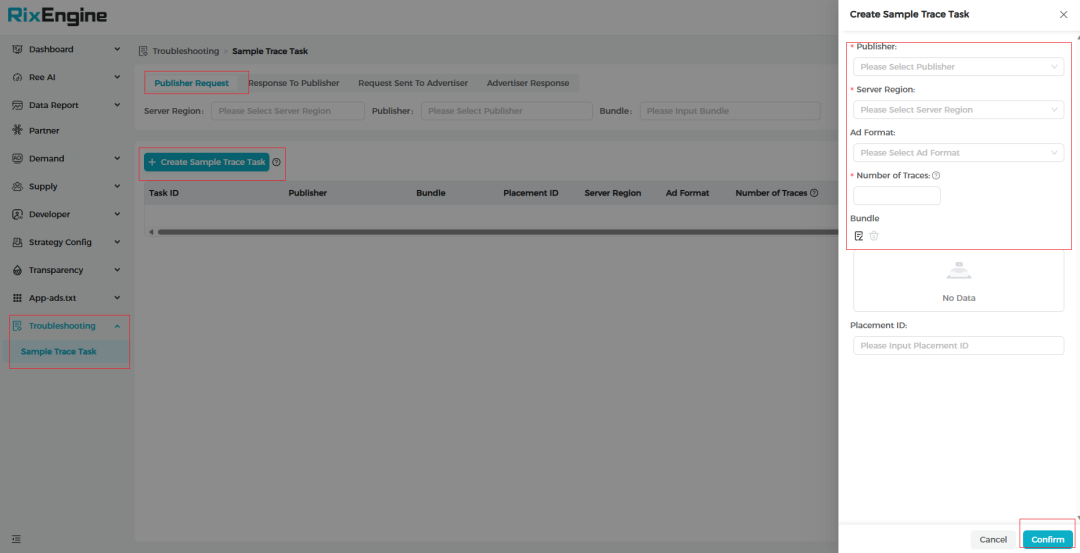
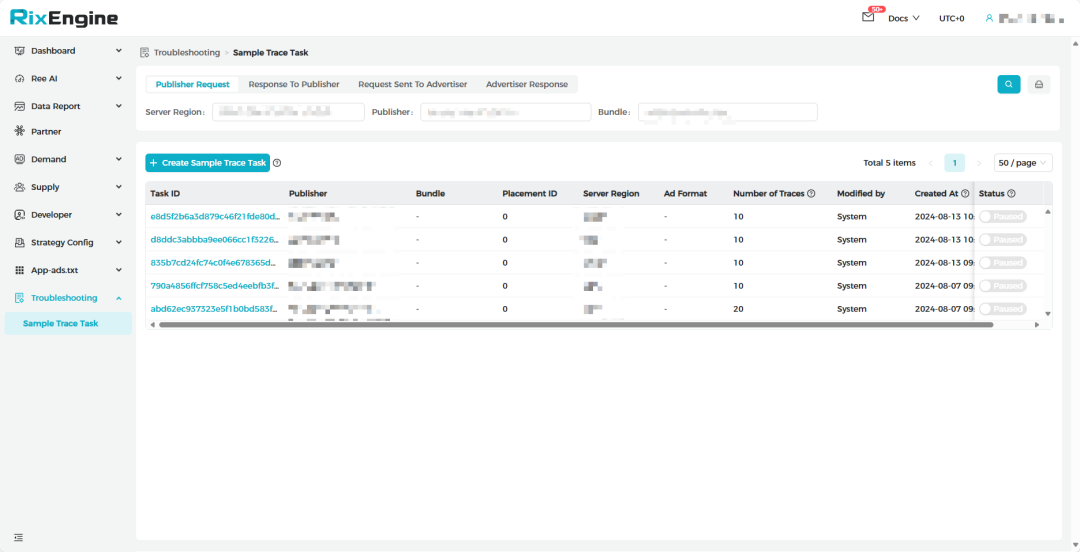
2.Users can quickly filter Request Samples based on Server Region, Publisher, or Bundle, allowing for more targeted troubleshooting in specific environments, thus enhancing operational decision-making and efficiency.
3.The feature also allows copying specific samples for further analysis.
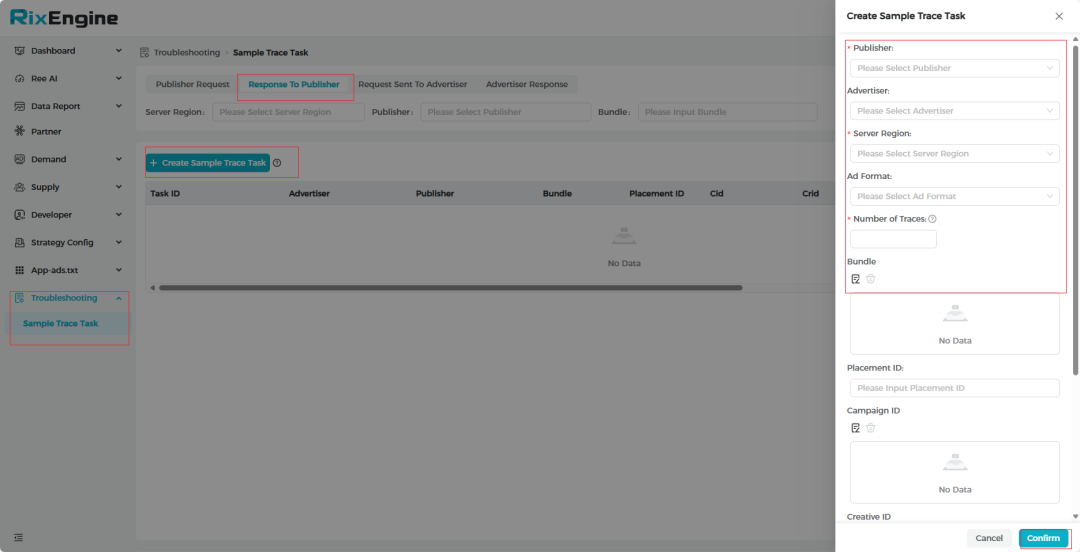
Publisher Response Evaluation: Response to Publisher Sample
The Troubleshooting tool records and analyzes the response data sent back to publishers from the ad platform, ensuring that ad content is accurately delivered to the target audience.
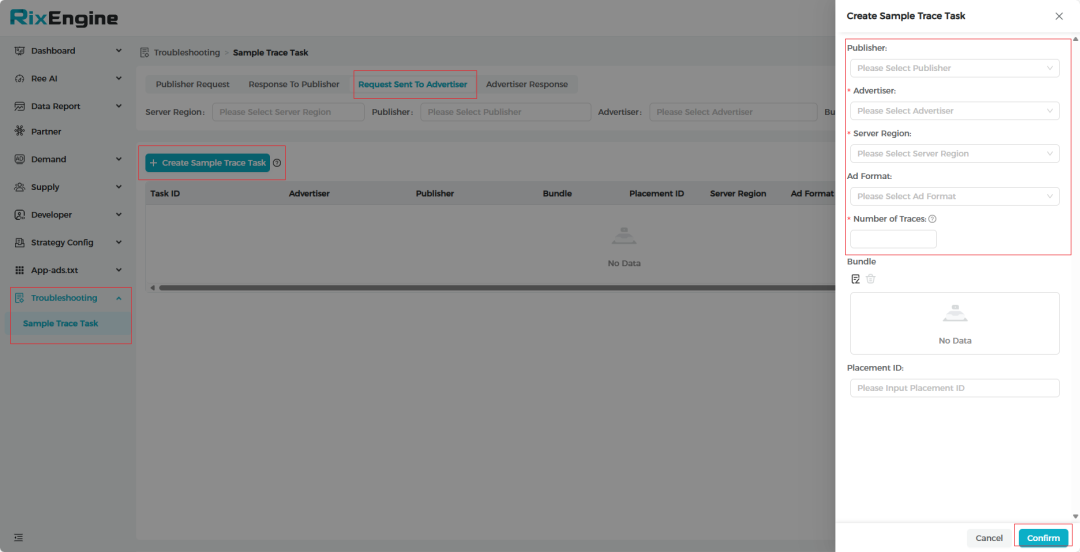
Advertiser Request Verification: Request Sent to Advertiser Sample
By capturing request sample data sent to advertisers, users can verify the completeness and accuracy of the requests, identifying potential transmission issues.
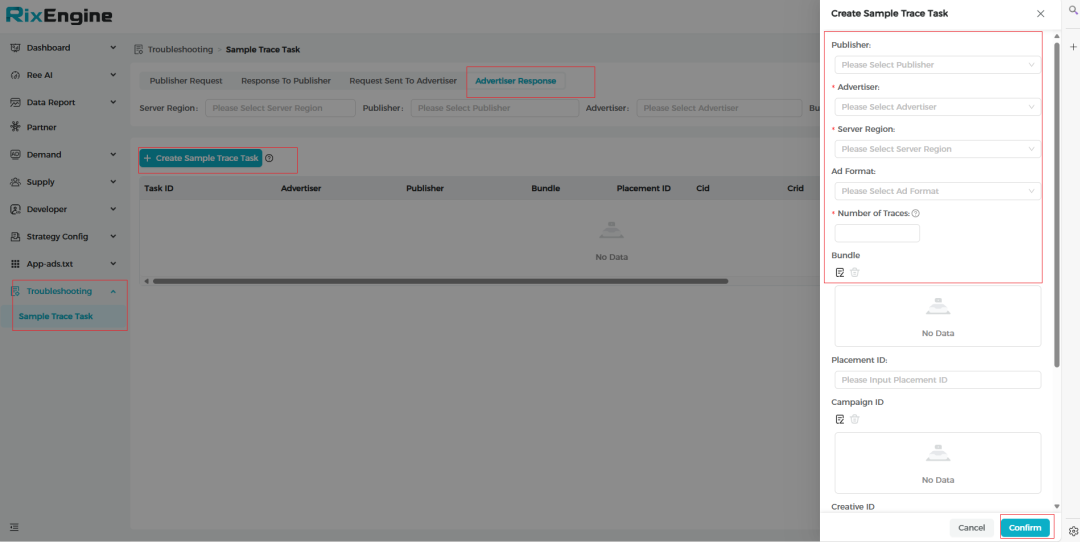
Bid Process Insights: Advertiser Response Sample
The Bid Status highlights whether a bid was successful or failed, providing comprehensive insights into each stage of the bidding process. Common reasons for bid failure include:
a.Decode ResponseBody Error
b.INVALID_BID_RESPONSE
c.INVALID_AUCTION_ID
d.INVALID_ADVERTISER_DOMAIN
e.MISSING_CREATIVE_ID
f.MISSING_BID_PRICE
g.BID_WAS_BELOW_AUCTION_FLOOR
h.LOST_TO_HIGHER_BID
i.CREATIVE_FILTERED_REASON
The Troubleshooting feature is now fully available. It offers comprehensive monitoring of every critical stage of your ad campaigns, enabling you to instantly resolve issues and thereby enhance both your ad performance and operational efficiency. Embrace a proactive approach to campaign management with our advanced Troubleshooting tool!